VSA 10: Version 10.30 release notes
NOTE During release deployment, all active web application sessions will be disconnected, and customers will need to log in again at the beginning of the maintenance window. SaaS customers will be informed of their maintenance window via status.kaseya.com.
Schedule*
| Region | Date | Starting time (ET) |
|---|---|---|
| APAC | Monday, November 30, 2026 | 12:00 |
| EMEA | Monday, November 30, 2026 | 15:00 |
| US | Wednesday, December 9, 2026 | 21:00 |
| On-Premises | Wednesday, January 6, 2027 | 21:00 |
NOTE *The schedule is subject to change. Check the Status page for regular updates. Any changes made to the original schedule are denoted in red.
In this release, agents will be updated to version 10.30. Some features will only be available once the agent has been updated. For each tenant, agents are programmed to automatically, randomly update within a 36-hour window following the release deployment. A device's agent version can be viewed and manually updated by navigating to Device Details > Software > Agent Version.
The agent version for this release is 10.30.
The VSA 10 team is reaffirming its commitment to delivering important updates more frequently through officially recognized interim releases. These releases will typically include urgent bug fixes or minor enhancements and will not require scheduled maintenance windows. Details of interim releases will be linked from this callout when available.
Announcements
Notes in this section are related to important upcoming changes that are coming as part of this or a future release.
Deprecate Bitdefender legacy Email Security
Bitdefender legacy Email Security has reached end-of-life and is no longer available for new purchases.
What changes:
- The Bitdefender Email Security add-on is no longer offered to accounts that do not already have it, including trial accounts.
- Existing subscriptions can no longer increase their license count.
What stays the same: Existing subscriptions continue to run at their current license count, with no change to protection, configuration, or console access.
No action is required.
New Features
Android MDM new features
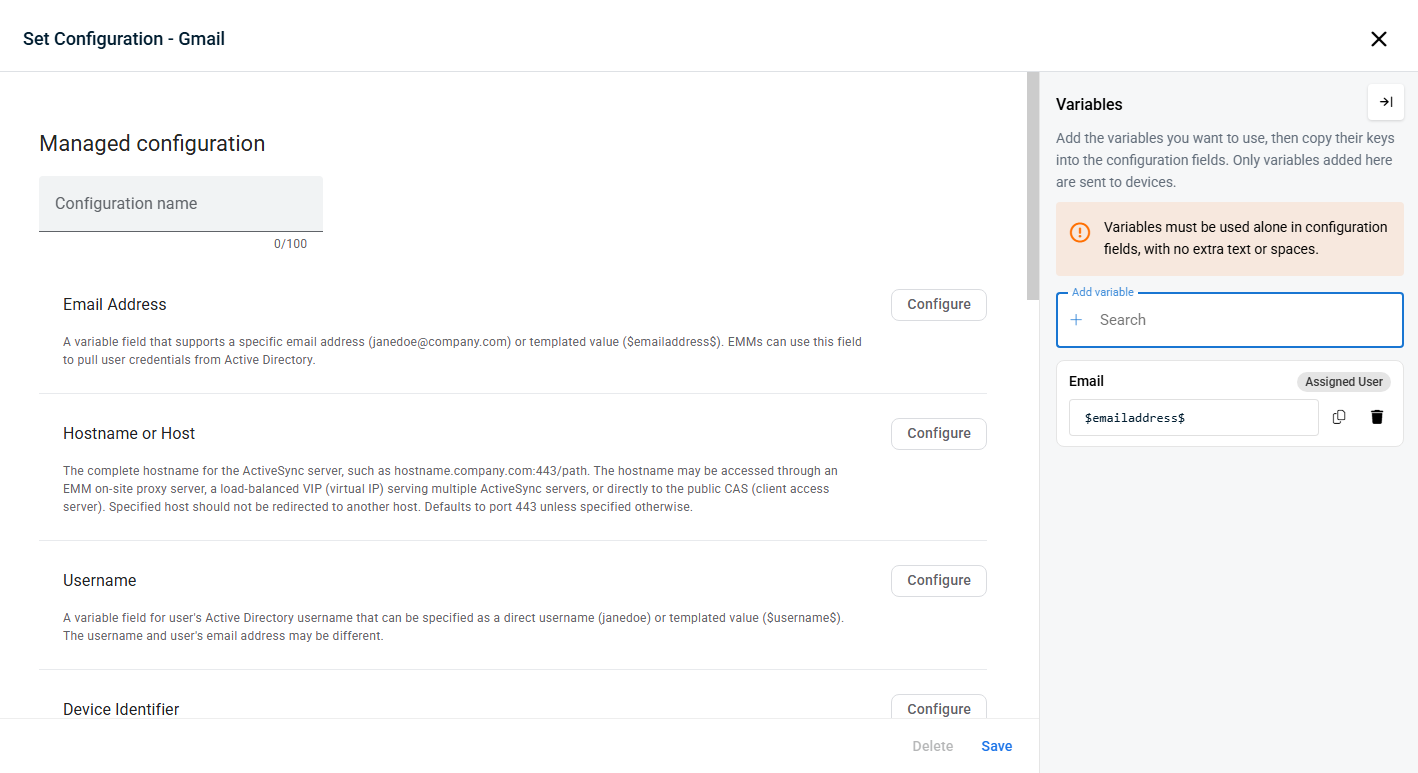
Managed configuration variables
Added the ability to define variables for applications in Android MDM application profiles. You can now use variables related to the assigned user, device, or context (e.g., email address, organization name, device serial number, etc.).
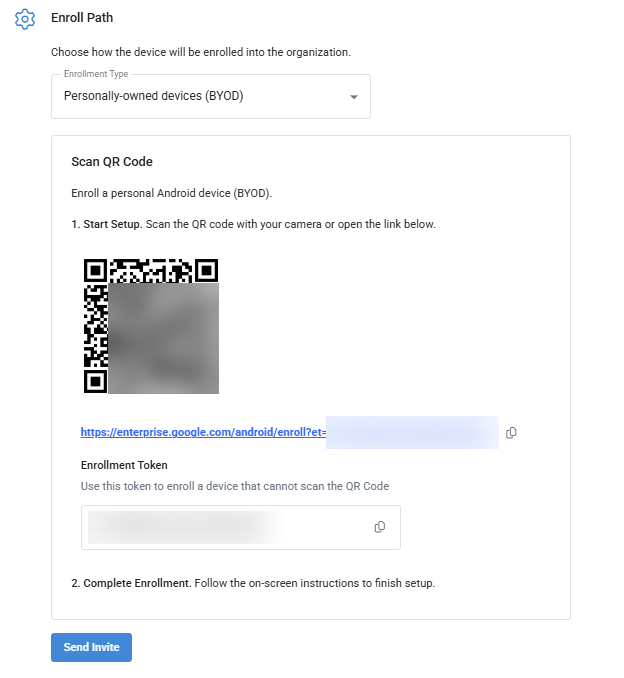
Enrollment token added to the MDM Enrollment page
An enrollment token is now displayed on the MDM Enrollment page. This token can be used to enroll devices that cannot scan a QR code.
Profile enhancements
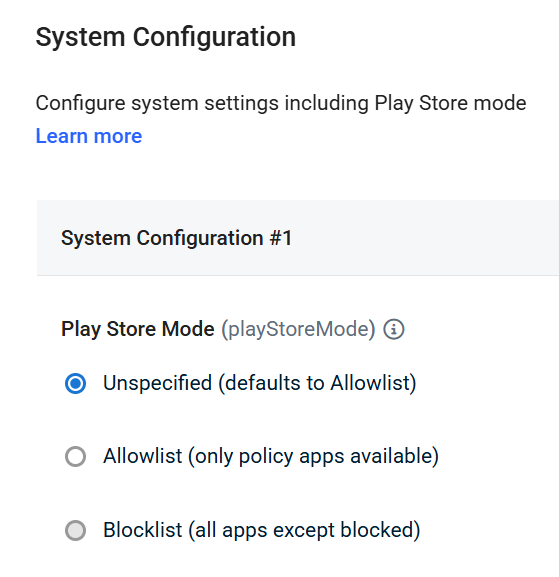
Play Store Mode
Now, you can enable all Google Play apps for Company Owned devices using “Android System Configuration > System Configuration > Play Store Mode” setting .
Additionally, several profiles have been updated to comply with the latest Google requirements:
- Password Policies
- Play Store App Settings
- Security Configuration profile
Key feature enhancements
Mobile Application: Quick Actions
You can now perform critical troubleshooting tasks faster with the introduction of Quick Actions in the mobile app. By long-pressing any device in the Computer List, you can instantly access a modal menu to launch Terminal or Remote Desktop sessions without navigating through multiple screens. These actions are context-aware, ensuring you only see supported options based on the device's operating system, such as Terminal for Linux or both Terminal and Remote Desktop for Windows and macOS.
IMPORTANT This feature is set to release after VSA 10.30 On-Premises has been deployed.
Enhanced "Account > Devices" page
Improved platform stability and performance on the Account > Devices page with a core technology upgrade. While the user interface and functionality—including device filtering, sorting, and access management—remain unchanged, the underlying architecture has been modernized to ensure a faster and more reliable experience within the WebApp.
Improved filtering on the Device Management page
Find and manage device filters more easily with a compact, redesigned Add Filter menu and quick filtering directly from the Devices table.
- Organized filter options: Browse Status, Device type, Context, Device attributes, and MDM Status through submenus, with Application and Custom field available as individual entries.
- Clearer filter indicators: Easily identify filter groups containing active filters or validation errors.
- Clear All: Remove all applied filters and return to the default state in one click.
- Quick filtering from the table: Hover over a cell in the Devices table and click the filter icon to instantly apply that value as a filter.
Standardized date formatting
Standardized dates across the web application to MM/DD/YYYY for consistency.
NOTE The standard date format will change again in the next release to a format such as “Oct 19, 2026”.
Patch Management page performance improvements
Improved web application performance when navigating to Patch Management pages.
iPhone Duo support for VSA X mobile app
The VSA X mobile app is now supported on iPhone Duo devices.
Rate limiting for Automation Task results
Improved platform resilience during bulk Task execution to help prevent performance degradation and stability issues.
Fixes
- Fixed an issue where the device details endpoint in API v3 did not return the IsOnline field. The field is now included in the response.
- Fixed an issue where Private RDP sessions timed out in the Remote Control client application, despite the session being successfully authenticated on the target machine.
- Fixed an issue where Microsoft Teams was not shown as an installed application in the Device Card or reports, despite having been successfully deployed via Patch Policy.
- ICMP network discovery now correctly identifies devices without agents when IP addresses are reassigned, while excluding agent-managed devices from discovery results.
- Fixed an issue where switching monitors during a remote control session could take several minutes to update the screen.
- Fixed an issue where the Create PSA Ticket workflow node intermittently failed to create a BMS ticket when the BMS account contained decimal values for credit limit or net days.
- Fixed an issue where email notifications for OS patching errors were not sent even when notifications were enabled in the patch policy.
- Fixed an issue where connected endpoints incorrectly alternated between Online and Offline status when MDM integration was disabled but MDM devices remained enrolled.
- Fixed an issue where the 1-Click Password option failed with a Failed Getting Password error for IT Glue credentials during remote control sessions.
- Fixed an issue where device configuration policies, including Remote Control settings, were not applied after a custom agent was installed until the agent service restarted. Policies now apply right after installation.
- Reduced application server CPU usage and improved web application responsiveness for on-premises installations that manage large numbers of agents.
- Fixed an issue where selecting a Hyper-V host under Devices > Active Connectors displayed a blank details pane. Host details now load as expected.
- Fixed an issue where the OS version for Windows devices showed 0 as the last component instead of the actual Update Build Revision (UBR). The WebApp and API now report the UBR as the fourth component of the version number, for example 10.0.26100.8875.
- Fixed an issue where the None option could not be selected for the Distribution Window when running scripts or workflows. Selecting None now works as expected.
- Resolved an issue where the Device Pin Panel failed to display pinned agents when accessed from the Device Management page.
- Restored the ability to sort the "Uptime" column in ascending or descending order on the Device Management page.
- Fixed an issue that prevented the selection of Active Directory filters when editing a Discovery Probe.
- Resolved a UI issue in the Script Variable menu that prevented buttons from being clickable when using Microsoft Edge browser.
- Fixed an issue where the initial logged-in IP address was incorrectly cached for on-premises installations.
- Clarified Workflow Activity messaging to indicate that Cancel Running applies only to ad-hoc and scheduled workflows, not notification workflows.
You can see all Kaseya product releases on https://help.one.kaseya.com/help/Content/Release-notes/unified-release-calendar.htm


